Concepts
IMPulse is installed between alert source and a messenger.
Info
For example, let's take Alertmanager as the alert source.
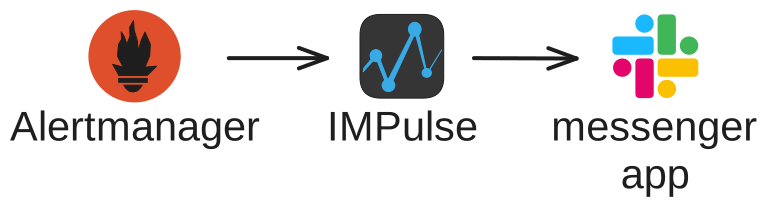
IMPulse receives alerts from Alertmanager and sends them to your messenger channel based on messenger and route configuration (see Configuration File).
Alertmanager sends alerts with one of two statuses: firing and resolved. The first status is always firing when a problem occurs. Based on these statuses, IMPulse creates Incidents.
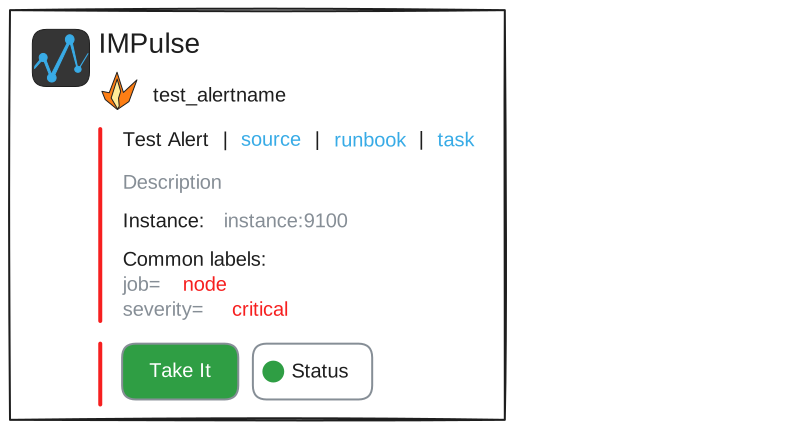
Incident
An incident is a messege representation of an alert with its current status.
Structure
Starting from v1.0.0 incident messages have the following structure:
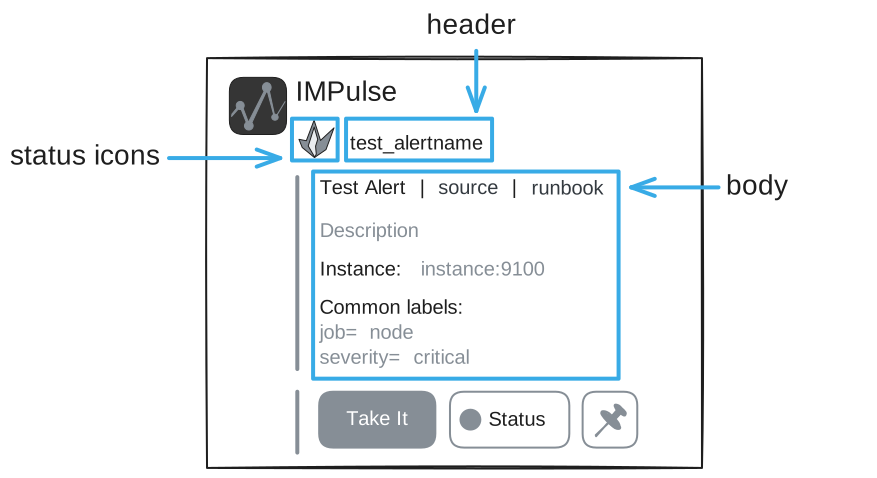
Default templates for status icons, header and body are here.
You can create your own template files based on defaults and set their path in messenger.template_files.
Statuses and their colors
Unlike Alertmanager alerts, IMPulse Incidents can have four statuses: firing, resolved, unknown, closed.
firing and resolved
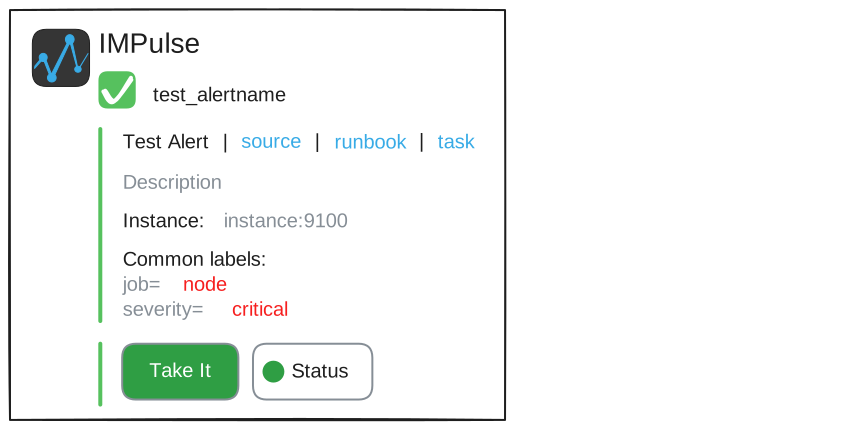
Incident status changes to firing and resolved based on Alertmanager's alert statuses received by IMPulse.
unknown
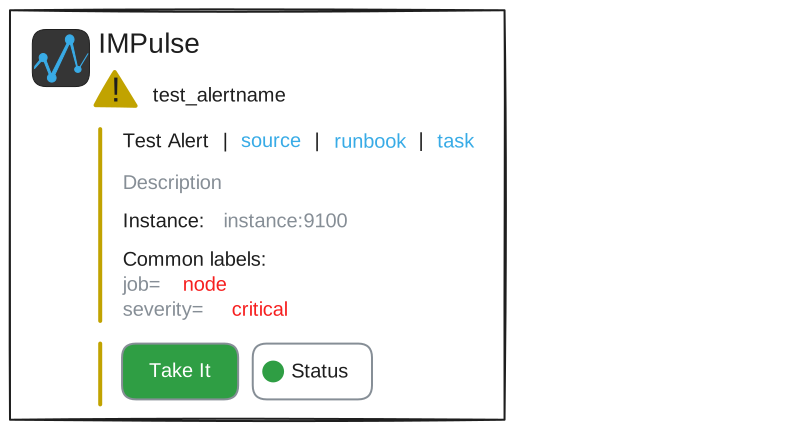
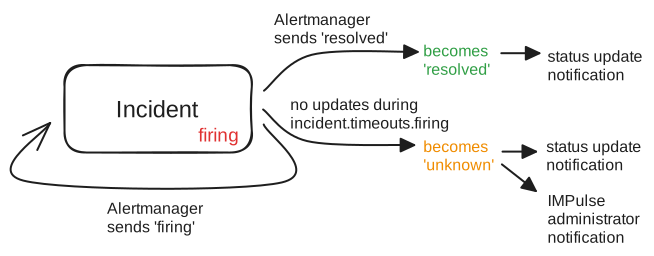
IMPulse introduces an additional status called unknown to indicate that the current status of the incident may be outdated.
Alertmanager uses repeat_interval and group_intervalto periodically resend the current alert status, even if it hasn't changed.
IMPulse has a setting incident.timeouts.firing which defines how long it should wait for an update from Alertmanager.
For this you should set Alertmanager's repeat_interval + group_interval a little bit more than incident.timeouts.firing.
If an Incident status isn't updated within incident.timeouts.firing it switches to non-actual status named unknown.
Possible causes of unknown status:
- IMPulse did not receive an updated alert status (e.g., IMPulse or Alertmanager was down, or there were network issues)
repeat_interval+group_intervalexceeds IMPulse'sincident.timeouts.firing
When an incident becomes unknown , IMPulse sends a warning message to messenger.admin_users.
closed
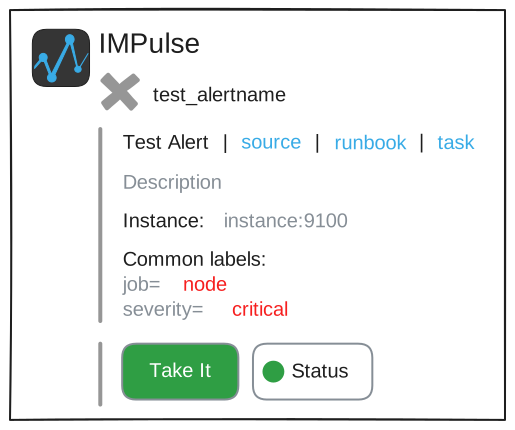
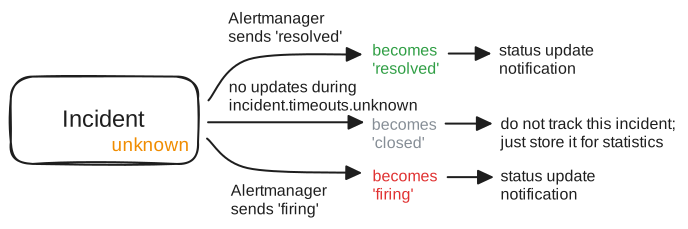
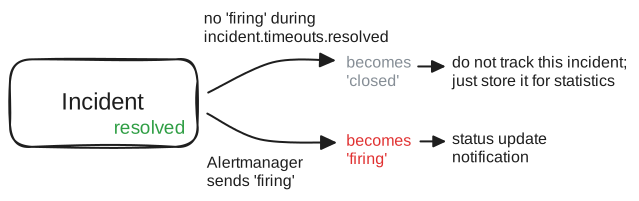
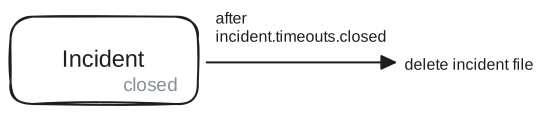
The closed status means the incident is closed and retained only for history and statistics. The retention period for a closed incident file is configured via incident.timeouts.closed. You can see closed incidents in the UI by clicking the archive button.
There are two ways an Incident can be closed:
- a resolved incident remains in that status for the duration ofincident.timeouts.resolved
- an unknown incident remains in that status for the duration of incident.timeouts.unknown
Lifecycle
IMPulse creates an Incident with the firing status and tracks it until its status becomes closed.
Here is a visualization of the full incident lifecycle:
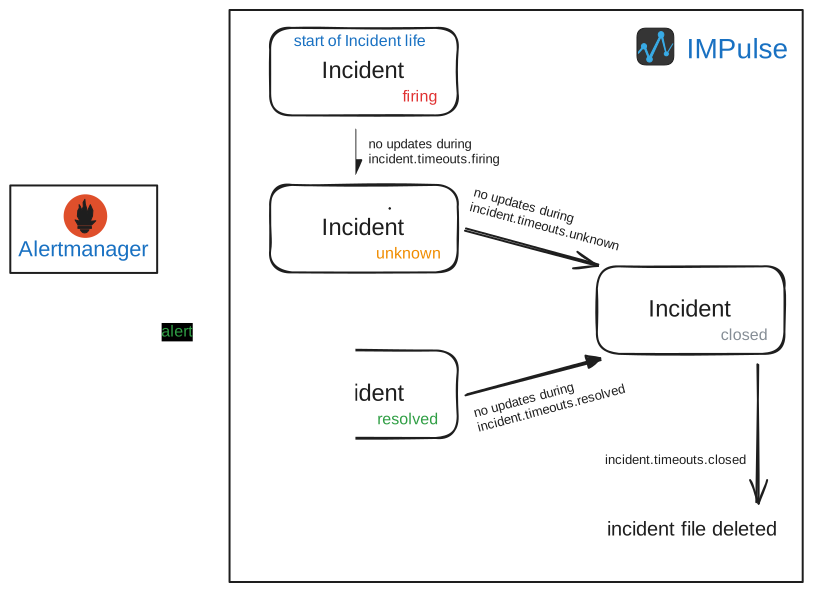
Or individually by status: